
We're exploring the Mixed Reality capabilities of the Meta Quest 3 using Unreal Engine and the MetaXR plugin by creating a small and simple demo application where virtual cubes will appear in your room, which you can shoot with a virtual gun to make the disappear.
What is Mixed Reality
In contrast to Virtual Reality, where the user is presented a completely virtual world to interact with, Mixed Reality combines the real world with virtual elements to create new experiences in existing environments. This can take many forms, such as simply placing virtual items in a room (such as placing a virtual painting on your wall), changing the appearance of the room (for example by changing the color of you ceiling), to making virtual items interact with the room geometry (think a virtual ball bouncing off your walls / floor / ceiling).
While this offers many interesting possibilities, it comes with increased complexity compared to Virtual Reality, most notably due to the virtually unlimited number of room layouts/configurations that are possible. Unless you're building an experience for a predefined room-layout, you basically have to fully generate your virtual world procedurally, or rely on the user to place virtual items.
Tech Stack
For this exploration, we're using the following tech stack:
Running the Demo
Before we get to the technical details, let's see what the demo app actually does. We've created a few variations to show how the virtual world can blend with the real world.
Note: since this is a devlog / tech-demo, it's intentionally not pretty/shiny.
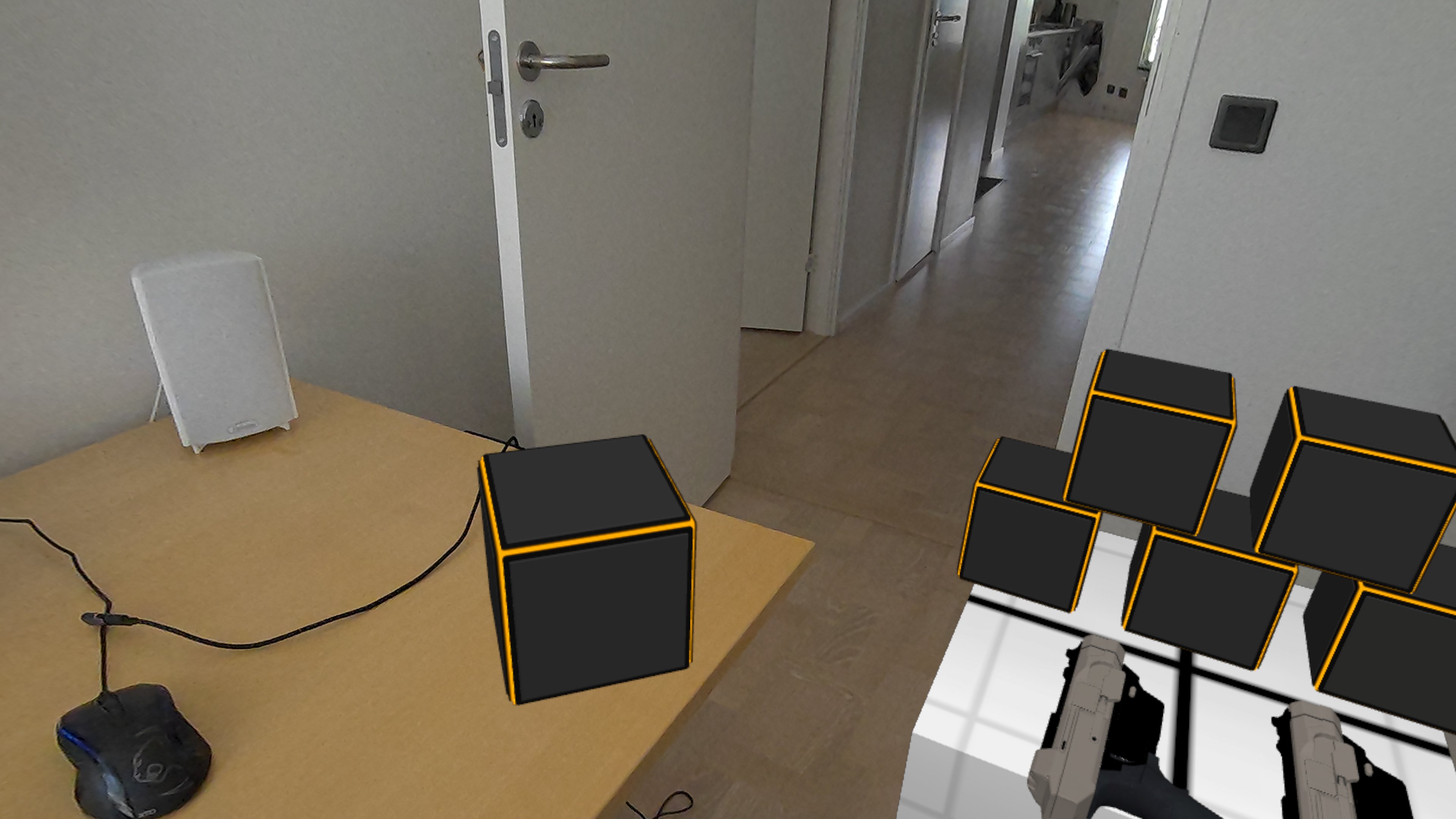
The first variation is to place several virtual items in the room, where the room is otherwise fully visible.
Here you can see that the virtual cube is resting on the real-world desk surface, which was identified during the room-scan, and now has a virtual representation as well (which is invisible here, but still has collision so virtual items don't fall through).
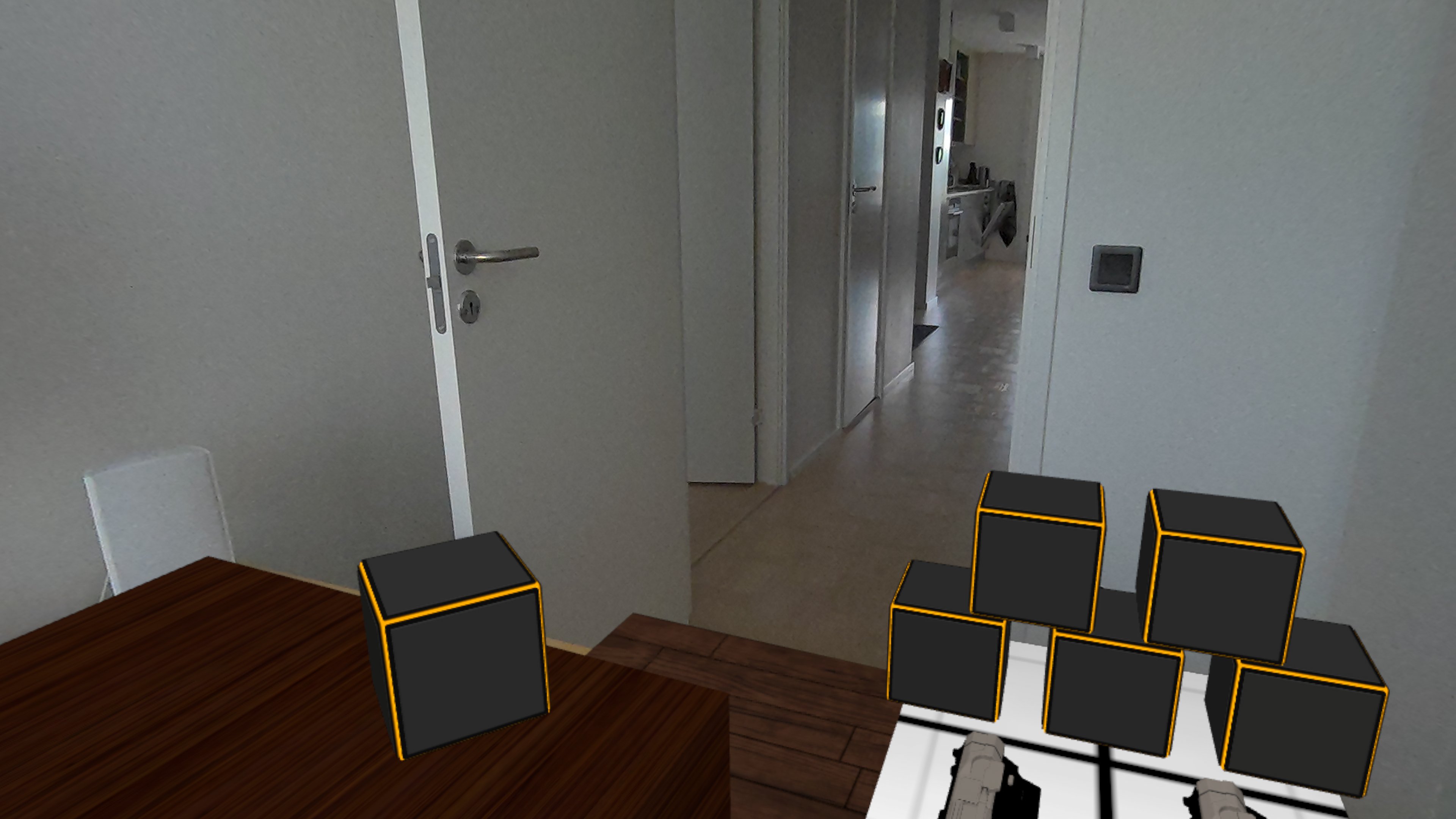
The second variation is to place the virtual items in a room where some parts of the real-world are visible, and some parts have been replaced by a virtual mesh/material.
Here you can see that the desk has been replaced by a virtual representation, and the floor as well. There are some visual errors in this particular blend, e.g. you can see that speaker on the desk has been 'cut off' at the bottom, because the room-scan has no representation for it. A similar problem can be seen at the top-left of the virtual floor in the room, which cuts into the door.
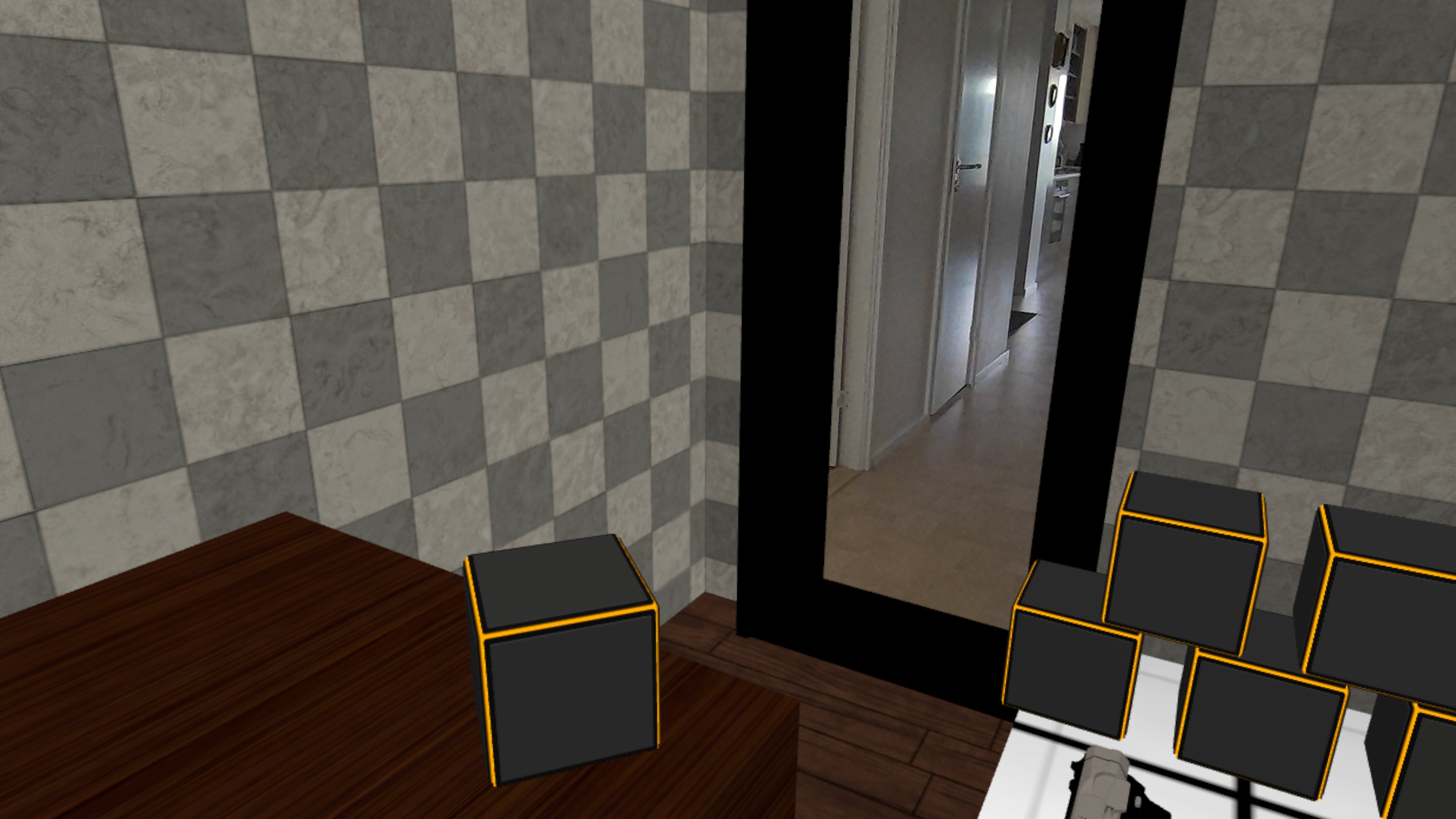
The final variation is to place virtual items in a room where nothing except real-world door/window openings are visible, all other parts have been replaced by a virtual mesh/material.
Here you can see that the visual errors from the previous variation have been 'fixed' by simply removing the speaker / door from view altogether. Obviously they are still present in the real-world, so caution is advised when working in such environments to prevent physical damage, it's surprisingly easy to knock the speaker off the desk accidentally.
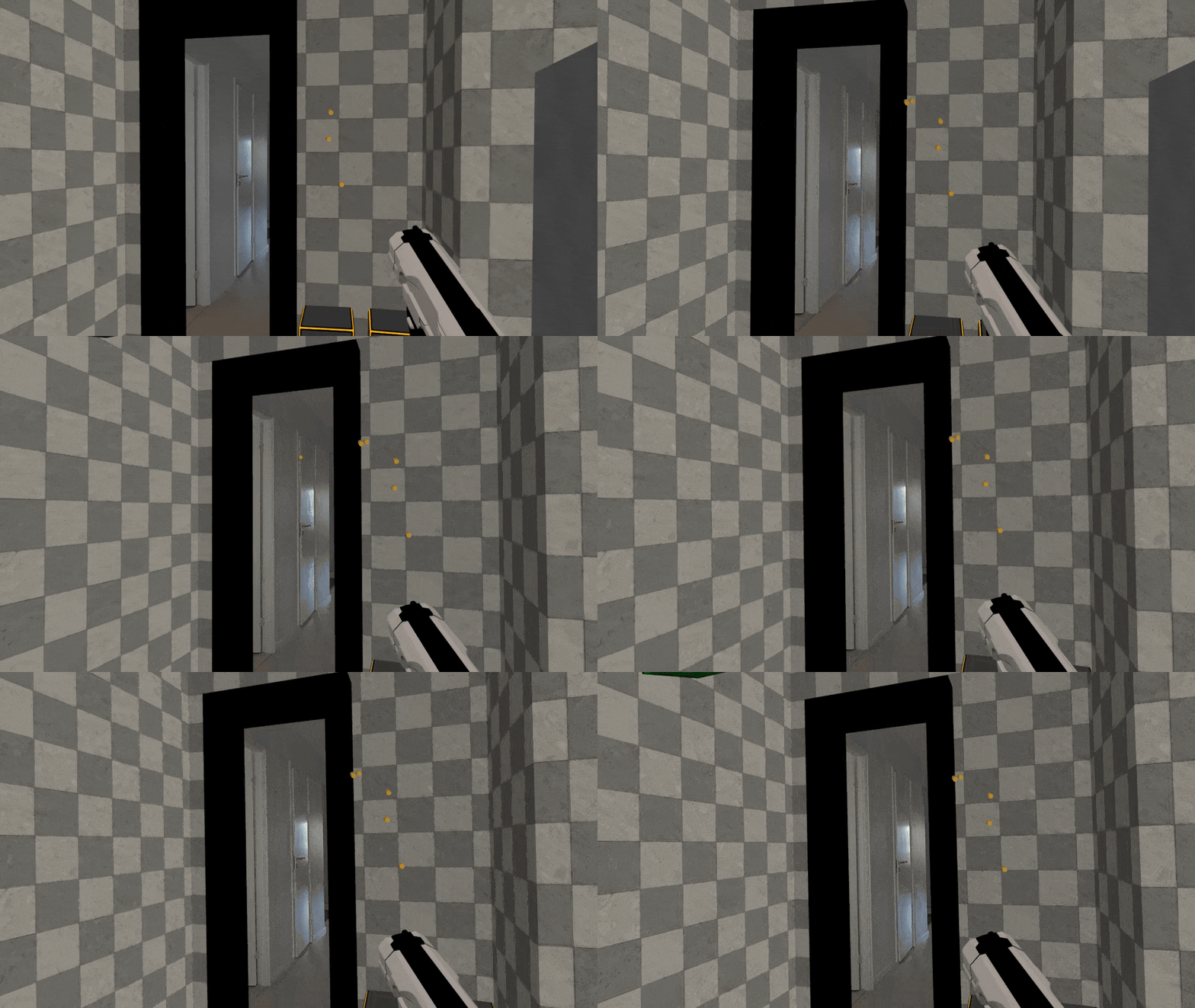
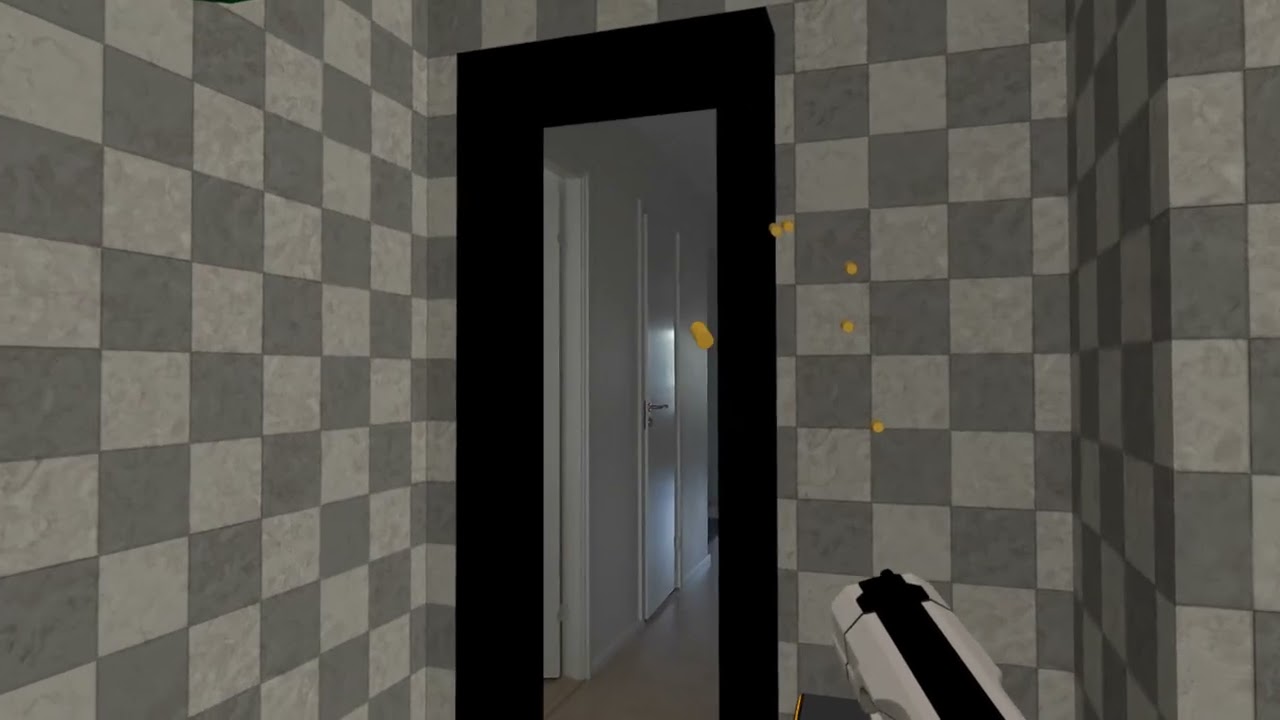
Interesting detail is that the doorway has no collision, meaning projectiles will pass through it, whereas they will get blocked by the walls and furniture in the room, as shown below.
The final result, including shooting some of the cubes, can be seen in the video below.
Clicking play will embed the YouTube player and may set third-party cookies and collect data from YouTube.
Building the Demo
We've used the following approach to build the demo.
Preparation
- Install Unreal Engine and the MetaXR plugin
- Create a new Unreal Engine project using the Virtual Reality template and enable the MetaXR plugin
- Build and deploy to a Meta Quest device to ensure everything works properly (using the default VR level)
- Create an empty level for Mixed Reality
Create Blueprints to Implement Required Functionality
We've created Blueprints to provide the following features, and added them to the empty level.
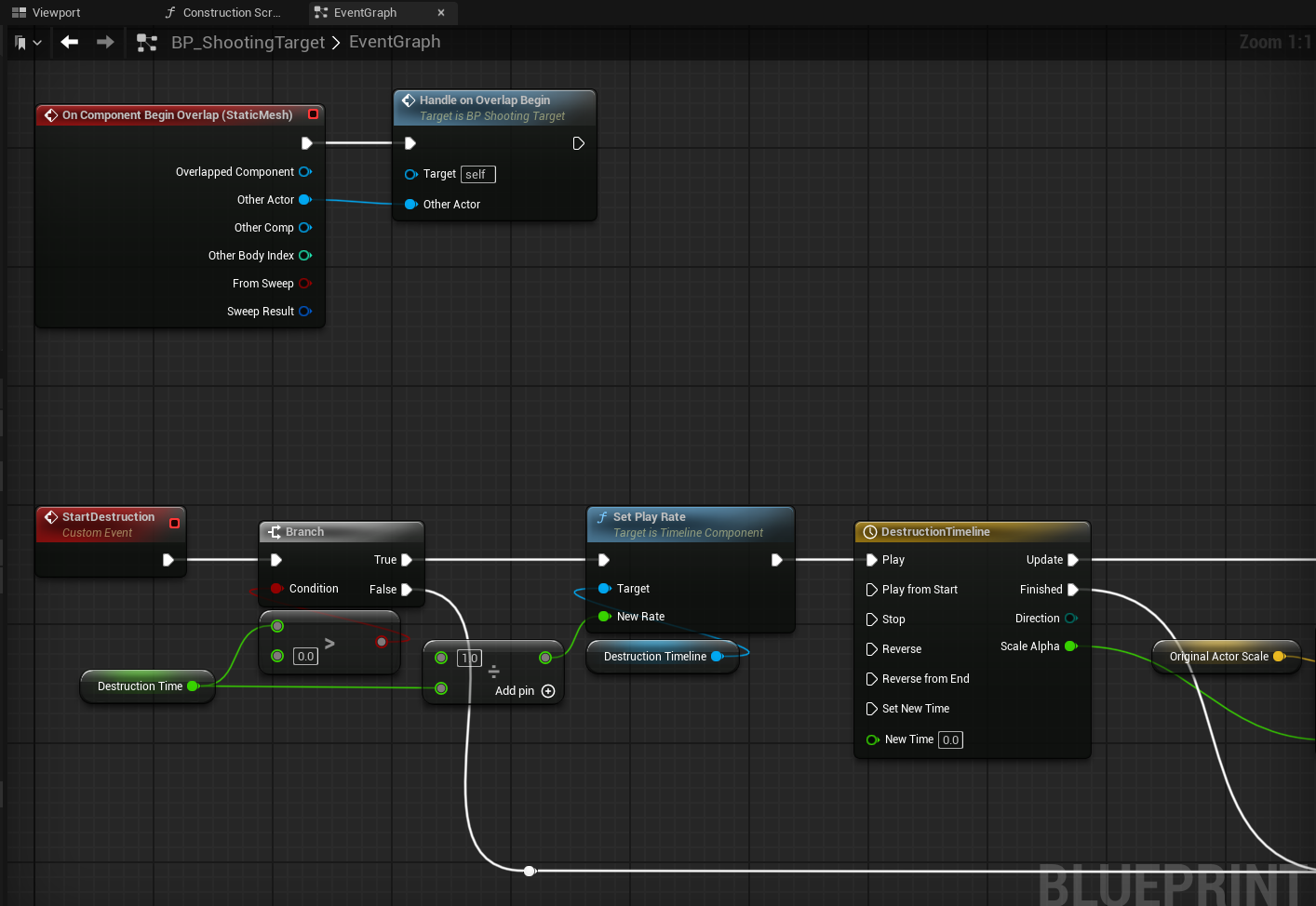
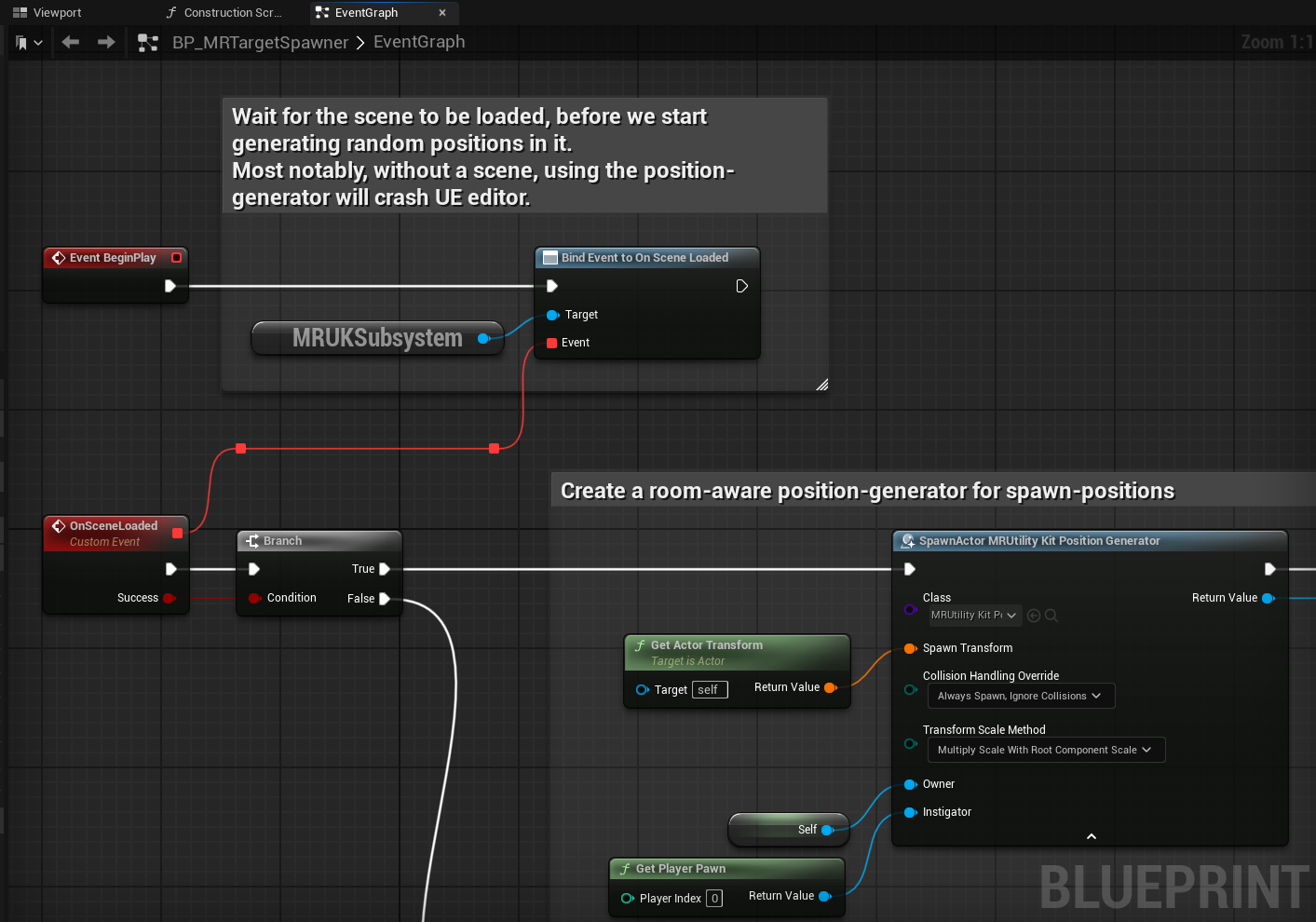
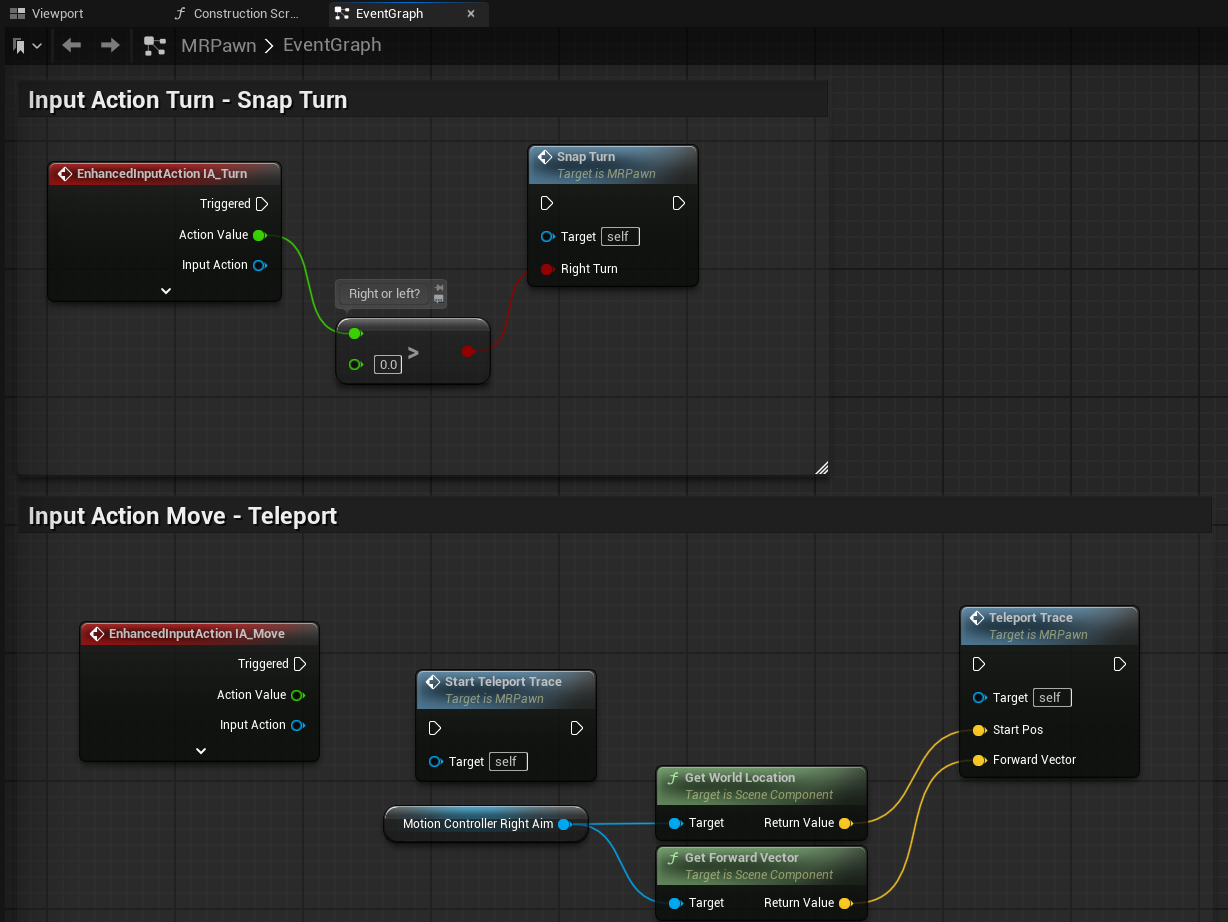
Note: the Blueprint images only show the key parts of the Blueprint, they may not show all implementation details for sake of brevity.
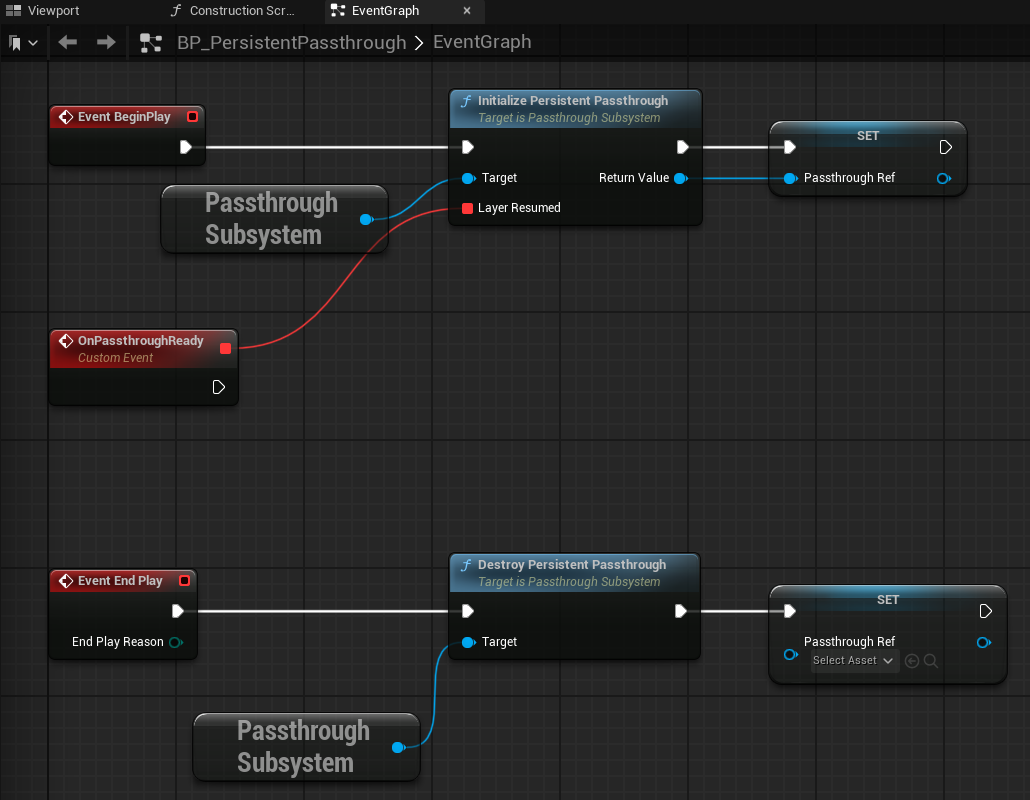
- Enable persistent passthrough when the level starts, and disable it when the level ends
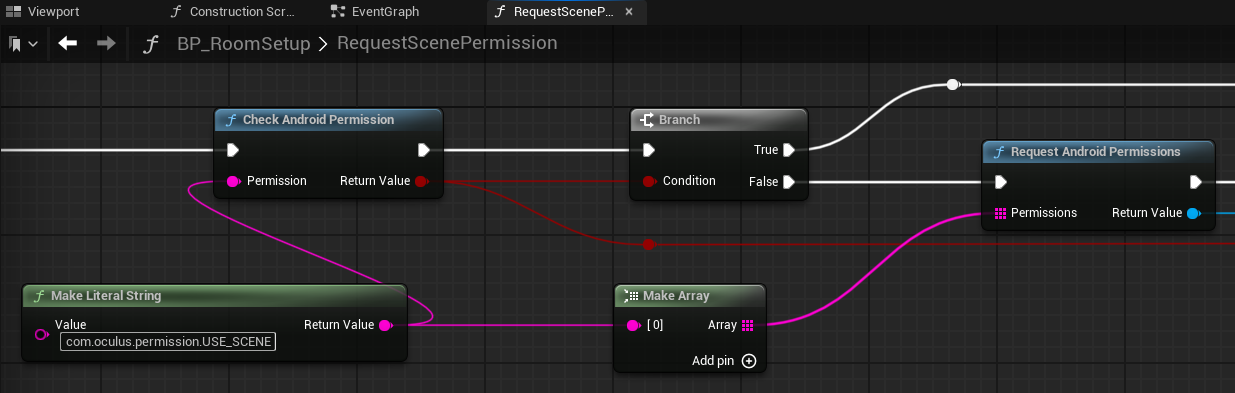
- Request the Android permission to use the Scene (i.e. room data) from the Meta Quest
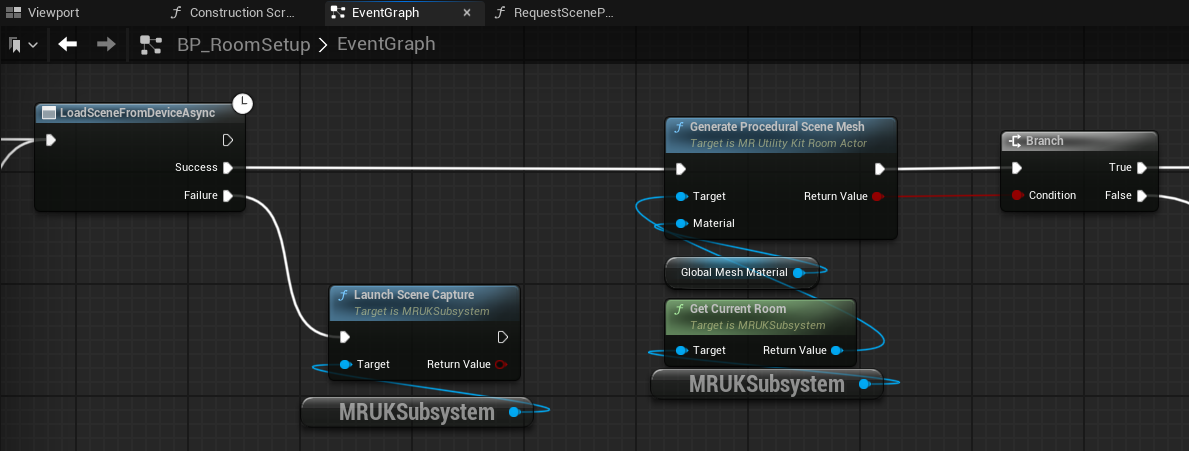
- Create or load the room data, and create a detailed mesh from this
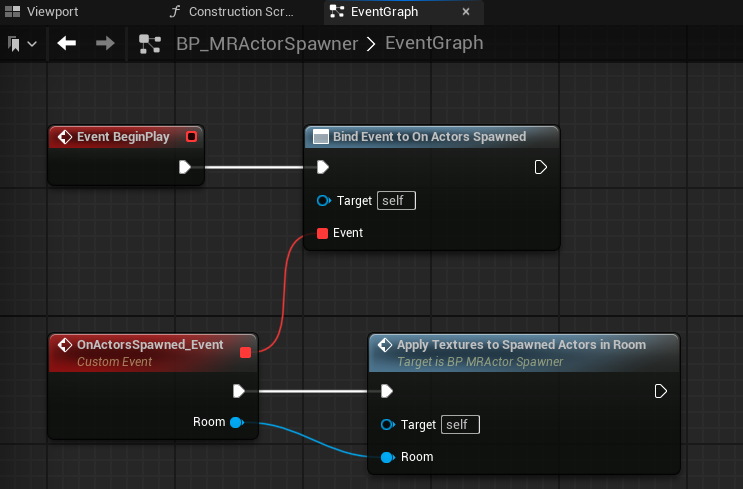
- Spawn meshes for identified room elements (e.g. walls, floor, tables, ...) and apply materials
- Cube that can be shot with a projectile and then disappear
- Cube spawner that spawns a certain number of cubes on the walls/ceiling/floor/furniture within the room
These are the main required Blueprints for the demo, which is now almost ready.
Final Touches
Just a few more things need to be done for a proper experience:
- Disable locomotion for the VRPawn so that the user can only physically move (rather than using joysticks as is common in VR)
- Add a Pointlight so virtual meshes are actually visible
- Add a static cube with a virtual Pistol (from the VR template) so that the user can grab it and shoot the cubes
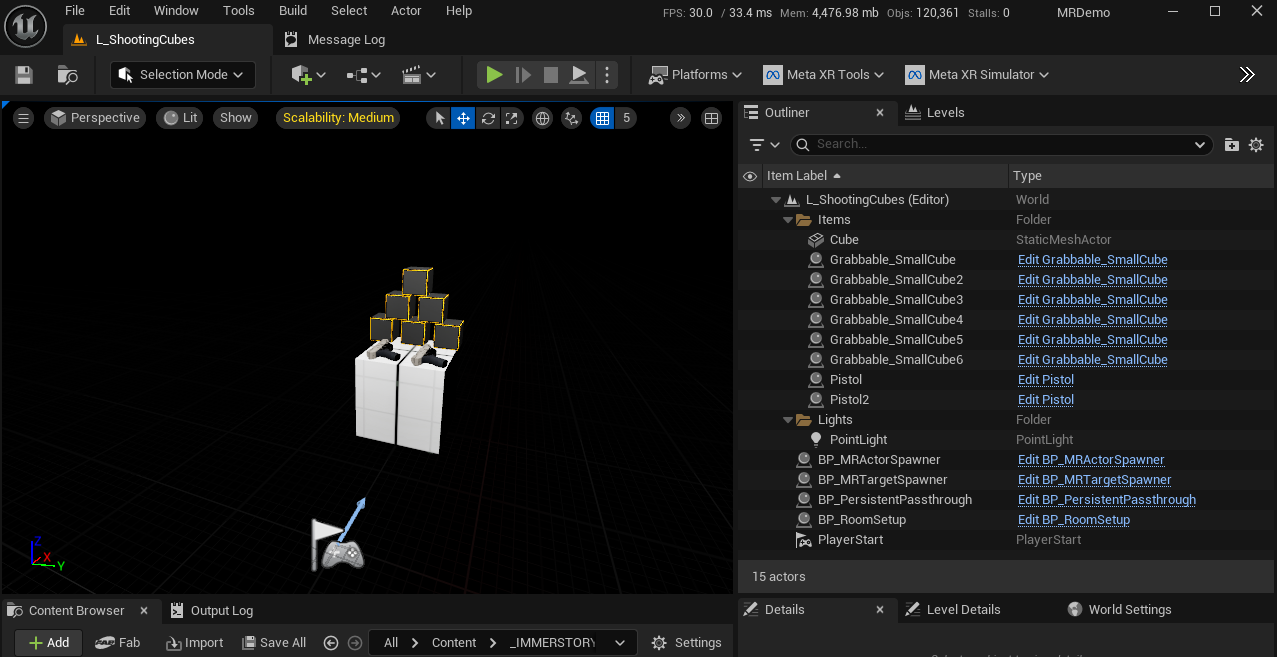
And that's it! Now we can build the demo app, and deploy it to the headset to run it.
Conclusion
Mixed Reality is an exciting way to create unique experiences that blend the real and virtual world. It comes with a set of challenges due to a virtually unlimited number of room layouts / configurations, but when done right the immersion is unbeatable.
We at Immerstory are excited to support our customers with their immersive experiences, and look forward to share more exploration progress soon.
What immersive experience would you like to see? Let us know!
Additional Resources
Documentation for the MetaXR plugin, specifically the Mixed Reality Utility Kit which was used for this demo, can be found here
Sound effects in the demo app have been thankfully sourced from Sonniss GameAudioGDC