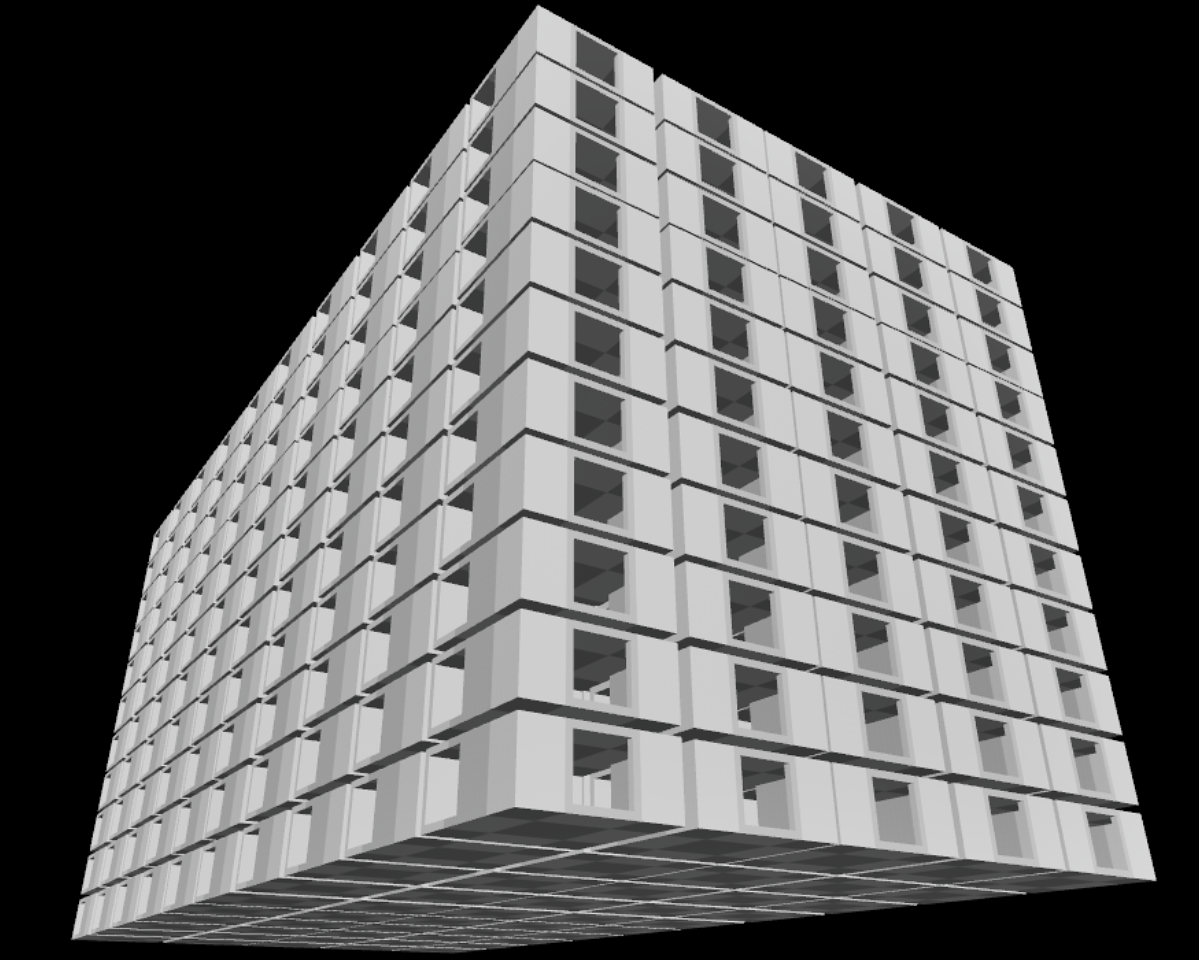

In this post, we look at using Packed Level Actors for Unreal Engine to improve performance when rendering multiple instances of a mesh.
It is crucial to be efficient with the limited available resources when developing for VR/MR headsets, which have quite limited hardware. For example, Meta mentions example ranges of 200 - 1000 draw-calls and 1.3m - 1.8m triangles for a Quest 3/3s, depending on the CPU usage of the application.
Tech Stack
For this exploration, we're using the following tech stack:
Packed Level Actors
A Packed Level Actor aggregates selected meshes/actors into a single Level / Blueprint using Instanced Static Mesh Components, see Unreal Engine documentation for details how to create a Packed Level Actor.
The main purpose is to optimize performance (by using Instanced Static Mesh Components, which uses a single draw-call even when rendering multiple instances of the same mesh per material), and potentially making it more convenient to place certain mesh compositions in a level multiple times.
Multiple Packed Level Actor instances in a single level
After some testing, it appears that Unreal Engine does not automatically aggregate multiple instances of a Packed Level Actor when placed in a level, which would improve performance by reducing the draw-calls needed.
We used the following test scenario:
- Have a Packed Level Actor with a single Instanced Static Mesh Component with 1 instance for a building segment of about 1.8k triangles with 4 LODs
- Place this Packed Level Actor 550 times in a level
- Observe the number of draw-calls and triangles rendered in the level using the
stat unitdebug tool (DrawsandPrimsvalues)
The result can be seen in the following image.

The result is pretty bad, given that every Packed Level Actor instance results in 1 draw-call. At least the proper LODs are used for each instance, reducing the number of rendered triangles significantly below the maximum of 990k.
Merging multiple Packed Level Actor instances in a single level
In an attempt to improve this situation, we created a Blueprint Actor that merges identical Packed Level Actor instances at runtime, by comparing the used mesh and materials.
The Blueprint basically does the following:
- Iterate over all Packed Level Actors in the level
- Iterate over each Instanced Static Mesh Component in the Packed Level Actor (
source-component)- If we already have another Instanced Static Mesh Component for the same mesh / materials, add all instances from the
source-componentto this component - If we don't yet have another Instanced Static Mesh Component for the same mesh / materials, use the
source-componentfor this next time
- If we already have another Instanced Static Mesh Component for the same mesh / materials, add all instances from the
- Iterate over each Instanced Static Mesh Component in the Packed Level Actor (
The result can be seen in the following image.
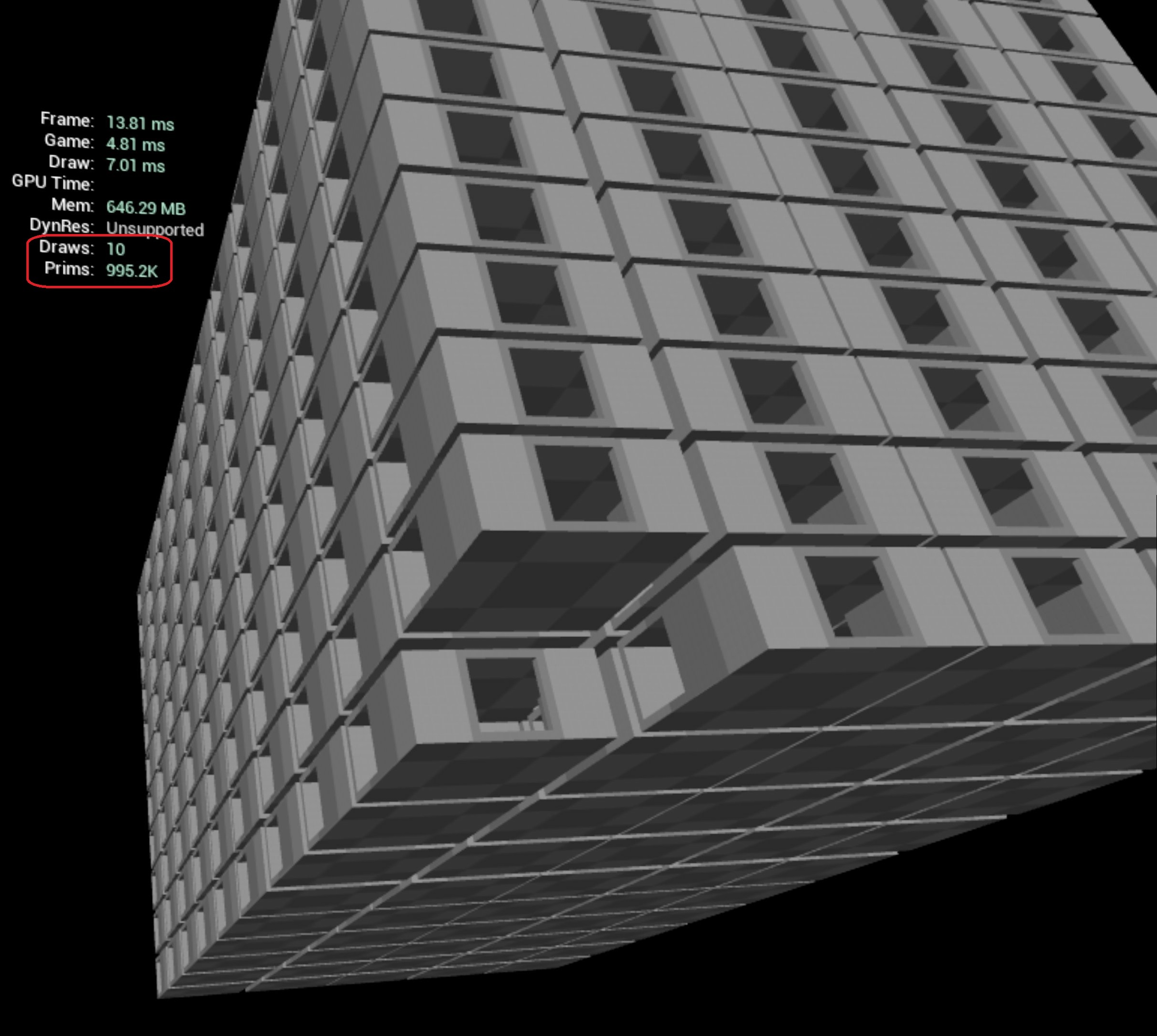
The number of draw-calls was reduced significantly (as expected), but the number of triangles has significantly increased, which is quite bad. The reason is that the used Instanced Static Mesh Component selects the LOD for the closest instance, and uses that to render all instances, no matter how far away they may be.
The main drawback of this solution is that it does not work with baked lighting, as the result will look terrible. For dynamically generated levels with dynamic lighting it works really nice though.
When using baked lighting, you can instead manually create a Packed Level Actor that contains all other Packed Level Actors in the level. Unreal Engine supports nested Packed Level Actors, and correctly aggregates everything into (Hierarchical) Instanced Static Meshes.
Using Hierarchical Instanced Static Mesh Components
In an attempt to improve this situation, we've replaced the Instanced Static Mesh Component in the Packed Level Actor Blueprint with an Hierarchical Instanced Static Mesh Component with the same attributes. This adds a slight overhead, but it will pick the proper LOD for each instance, which may significantly reduce the number of triangles rendered, at the cost of some extra draw-calls.
The result can be seen in the following image.

This result is pretty good, considering how many meshes are rendered.
Conclusion
During development it is important to monitor performance, especially for VR/MR given the limited hardware available. By creating a Blueprint Actor to merge identical Packed Level Actors, and using Hierarchical Instanced Static Mesh Components, we can use significantly more and more detailed meshes in a level, while keeping performance at acceptable levels.
In this example scenario, we reduced the number of draw-calls from 559 to 14, while still considering LODs to keep the number of triangles around 130k, by creating a Blueprint Actor to merge Packed Level Actor instances at runtime, and using Hierarchical Instanced Static Mesh Components.
| Scenario | Draw calls | Triangles |
|---|---|---|
| 550 individual Packed Level Actors | 559 | 130k |
| Merged 550 Packed Level Actors using ISM | 10 | 995k |
| Merged 550 Packed Level Actors using HISM | 14 | 127k |
We at Immerstory are excited to support our customers with their immersive experiences, and look forward to sharing more exploration progress soon.
What immersive experience would you like to see? Let us know!